
Summary
✓Reviewed by Emma Thompson Choosing the best esports capture card setup for streaming competitive tournaments is one of the most consequential decisions a competitive broadcaster can make in 2026. With major events like the Esports World Cup 2026 demanding broadcast-quality...
Table of contents
- 1 Why Capture Card Choice Defines Your Tournament Stream Quality
- 2 A Brief History of Esports Capture Technology
- 3 PCIe vs. USB Capture Cards for Competitive Streaming
- 3.1 When to Choose PCIe
- 3.2 When to Choose USB
- 4 HDMI Standards and Resolution Tiers That Matter for Tournament Capture
- 5 Top Capture Cards for Esports Tournament Streaming in 2026
- 6 Building the Dual-PC OBS Workflow for Tournament Broadcasts
- 6.1 Hardware Encoding: NVENC and Quick Sync
- 6.2 OBS Settings for 1080p60 Competitive Streams
- 7 VRR, HDR, and the Features That Separate Good Setups from Great Ones
- 8 Cabling and Signal Chain: The Details Most Setups Get Wrong
- 9 Frequently Asked Questions
- 9.1 Do I need 4K capture for competitive esports streaming?
- 9.2 Will a capture card add input lag to my gameplay?
- 9.3 Is HDMI 2.1 mandatory for my capture card setup?
- 9.4 Should I use a PCIe or USB capture card for LAN tournament events?
- 9.5 What software should I use for tournament-quality capture?
- 9.6 What bitrate should I stream at for esports tournaments?
- 10 Key Takeaways for Tournament Streaming Setup
- 11 Sources
Choosing the best esports capture card setup for streaming competitive tournaments is one of the most consequential decisions a competitive broadcaster can make in 2026. With major events like the Esports World Cup 2026 demanding broadcast-quality output and sub-50ms latency from production crews, the difference between a competent rig and an amateur one often comes down to interface standards, passthrough fidelity, and how the card integrates with a dual-PC workflow. According to StreamingAndGame, capture cards serve as the critical link in dual-PC systems, grabbing HDMI output from the gaming PC and feeding it to the streaming PC where OBS processes it for upload.
Why Capture Card Choice Defines Your Tournament Stream Quality
Competitive esports streams are judged differently from casual game broadcasts. Viewers watching CS2 or VALORANT at the top level expect crisp motion, no tearing artifacts, and production-grade overlays — none of which are possible if the capture card itself is a bottleneck. The card must pass a perfectly clean, low-latency signal to the player’s monitor while simultaneously feeding an encoded stream to the broadcasting PC. These two tasks pull in opposite directions: passthrough demands raw speed, while capture demands stable encoding throughput.
A Brief History of Esports Capture Technology
Tournament capture workflows evolved sharply across three eras. Early competitive streams in the mid-2010s relied on simple USB 2.0 grab cards that topped out at 1080p30, making smooth footage of fast-paced shooters nearly impossible. The introduction of PCIe-based cards in the late 2010s — led by AVerMedia’s Live Gamer 4K and Elgato’s 4K60 Pro — pushed capture to 4K30 and later 4K60, establishing a ceiling that felt ambitious at the time. The decisive shift came with the adoption of HDMI 2.1, which the HDMI Forum standardized at a maximum link rate of 48 Gbps, enabling 4K at 120 Hz and 1080p at 240 Hz through a single cable and transforming what tournament setups could deliver to both the player and the audience simultaneously.
PCIe vs. USB Capture Cards for Competitive Streaming
The PCIe versus USB question is the first fork in the road for any serious tournament setup. According to testing published by Manbolo in August 2026, PCIe cards consistently measured lower passthrough latency than comparable USB models — approximately 50ms on a premium PCIe card versus roughly 60–80ms on USB alternatives. For a player competing in ranked or tournament play, that difference is perceptible.
When to Choose PCIe
PCIe capture cards install directly into a spare slot on the streaming PC’s motherboard, eliminating USB bandwidth contention entirely. Models like the Elgato 4K Pro and the AVerMedia Live Gamer 4K operate on PCIe x4 lanes, giving them a dedicated, high-bandwidth data path. The tradeoff is portability: once installed, the card is not easy to move between machines, which matters at LAN events where setups change frequently.
When to Choose USB
USB capture cards — including the AVerMedia Live Gamer Ultra 2.1 and Elgato HD60 X — offer straightforward plug-and-play compatibility, making them practical for tournament organizers who need to deploy identical setups across multiple stations. As noted by CreatorConfig, plugging an external card into a USB 3.2 Gen 2 (10 Gbps) port is essential to avoid bandwidth throttling at 1440p144 or 1080p240 resolutions. Using a USB 3.0 (5 Gbps) port with a high-refresh-rate source will produce dropped frames or signal artifacts.
HDMI Standards and Resolution Tiers That Matter for Tournament Capture
The resolution and refresh rate of the capture and passthrough signal determine everything downstream — stream quality, file size for VODs, and whether the competing player experiences any perceptible lag. The table below maps the most relevant configuration tiers as of August 2026, based on current product coverage from GamesRadar and Tom’s Hardware.
| Use Case | Passthrough Target | Capture Target | Minimum Cable Standard |
|---|---|---|---|
| Budget competitive stream | 1080p60 | 1080p60 | HDMI 2.0 |
| Mid-tier tournament rig | 1440p144 | 1080p60 | HDMI 2.0 (RGB 8-bit) or HDMI 2.1 |
| Pro/LAN tournament rig | 1080p240 or 4K60 | 4K60 or 1080p60 | HDMI 2.1 (full spec) |
| Premium content creation | 4K120 | 4K60 with HDR10 | HDMI 2.1 (48 Gbps) |
Top Capture Cards for Esports Tournament Streaming in 2026
Based on 2026 coverage from multiple hardware publications, three cards consistently appear at the top of competitive streaming recommendations. Each serves a distinct setup tier.
| Card | Interface | Max Capture | Max Passthrough | Notable Features |
|---|---|---|---|---|
| Elgato 4K X | USB-C / PCIe | 4K60 | 4K60 HDR10, VRR | Zero-lag passthrough, OBS-native |
| AVerMedia Live Gamer Ultra 2.1 | USB-C | 4K60 | 1440p144, 1080p240 | Only external card with HDMI 2.1 passthrough per CreatorConfig 2026 |
| Elgato HD60 X | USB-C | 4K30 / 1080p60 | 4K60, 1080p240, VRR | Broad console compatibility, compact form factor |
The Elgato 4K X is described by Memento Mori Gaming (April 2026) as the industry standard for 4K60 HDR10 content creation with zero-latency passthrough. The AVerMedia Live Gamer Ultra 2.1 is notable because CreatorConfig’s April 2026 testing identified it as the only external capture card that handles 1440p at 144 Hz passthrough properly via HDMI 2.1, making it the top external pick for mid-tier competitive rigs without the installation requirements of a PCIe card.
For competitive broadcasters, passthrough fidelity is not optional — a player who notices any input lag on their monitor because of the capture card will not use that setup twice.
Building the Dual-PC OBS Workflow for Tournament Broadcasts
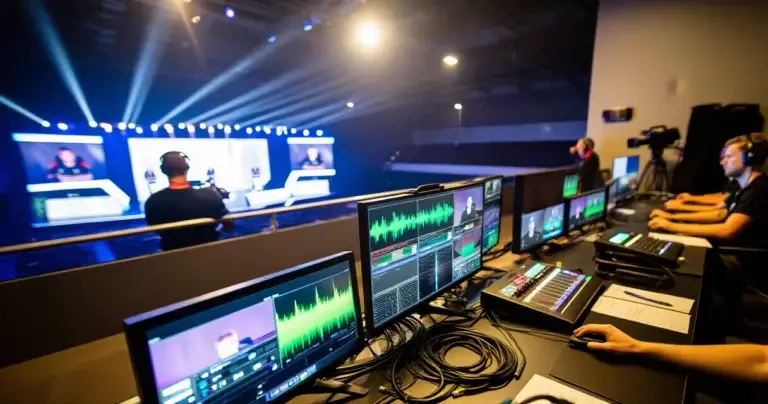
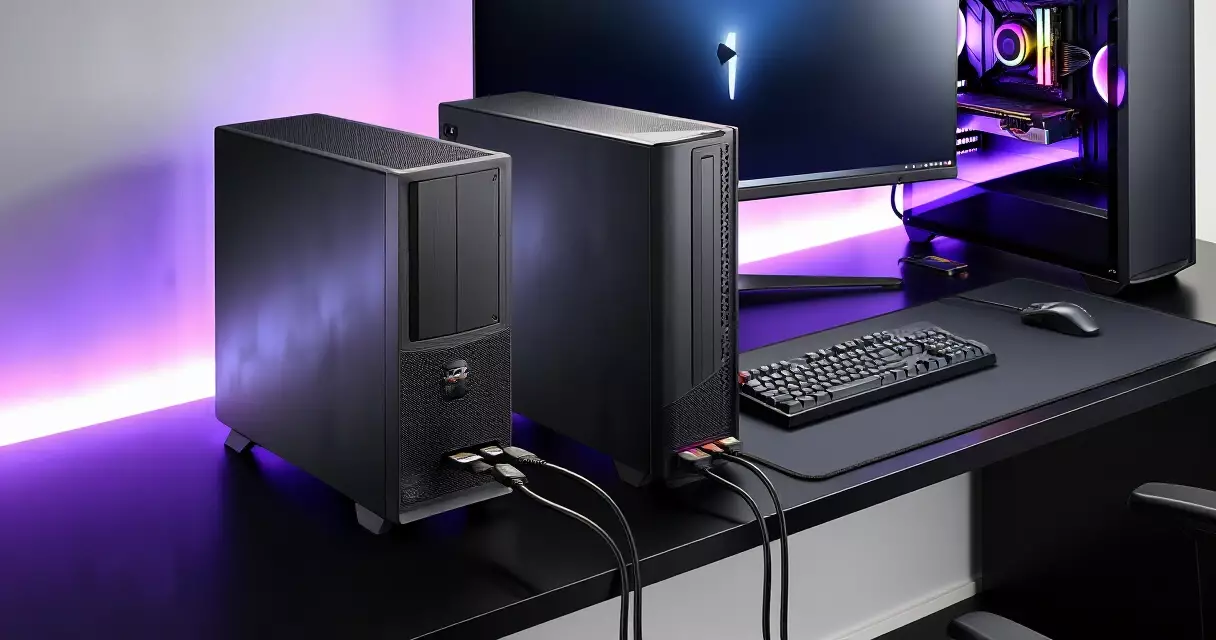
The dual-PC setup remains the standard for serious competitive broadcasting because it completely separates gameplay performance from encoding load. As described by StreamingAndGame, the gaming PC outputs video over HDMI to both the player’s monitor (via passthrough) and the capture card input, while the streaming PC runs OBS Studio and handles all encoding, overlay management, and upload tasks.
Hardware Encoding: NVENC and Quick Sync
On the streaming PC, OBS Studio should be configured to use hardware encoding rather than software (x264) encoding. NVIDIA’s NVENC encoder and Intel’s Quick Sync are the two dominant options in 2026 competitive rigs. Both offload encoding to dedicated silicon on the GPU or CPU respectively, freeing the streaming PC’s CPU for scene composition, alert handling, and audio mixing without impacting the gaming PC at all. Software x264 encoding at competitive bitrates demands significant CPU headroom that most streaming PCs cannot spare during a live event.
OBS Settings for 1080p60 Competitive Streams
GamesRadar’s 2026 buyer guide confirms that 1080p at 60 fps is still the practical delivery target for live competitive streams on Twitch and YouTube, even when the underlying gameplay runs at 240 Hz or higher. In OBS, the recommended configuration for tournament-quality output is: output resolution 1920×1080, frame rate 60 fps, encoder NVENC (or Quick Sync), bitrate 6,000–8,000 kbps for Twitch or up to 51,000 kbps for YouTube. The capture card source in OBS should be set to the card’s maximum supported capture resolution, then downscaled at the output stage.
VRR, HDR, and the Features That Separate Good Setups from Great Ones
Variable Refresh Rate (VRR) passthrough support has moved from a premium extra to an expected feature in 2026 competitive rigs. When VRR passthrough is active, the player’s monitor receives an adaptive-sync signal that eliminates tearing even at frame rates that fluctuate around the monitor’s refresh ceiling — common in CPU-intensive scenes during a live match. HDR10 passthrough matters less for the stream itself (most platforms still deliver SDR) but is increasingly relevant for players competing on HDR-capable displays who do not want to compromise their personal display setup for the broadcast feed. Both PC Gamer and CreatorConfig’s 2026 reviews flag VRR and HDR as baseline requirements for any card used in a next-gen console or high-refresh PC tournament context.
Prioritize VRR, HDR, and zero-lag passthrough over flashy 4K capture specs — the stream’s audience sees 1080p60, but the player’s monitor sees everything.
Cabling and Signal Chain: The Details Most Setups Get Wrong
Even the best capture card performs below its rated specification if the cabling is substandard. PC Gamer’s 2026 setup guide emphasizes that every component in the signal chain — from the GPU’s output port through the HDMI cable to the capture card’s input — must be HDMI 2.1 compliant for high-refresh passthrough to function correctly. A single HDMI 2.0 cable will cap the entire chain at HDMI 2.0 bandwidth, silently preventing 1440p144 or 1080p240 passthrough regardless of what the card supports. The fix is straightforward: replace all HDMI cables with certified HDMI 2.1 cables rated for 48 Gbps throughput, and verify that the GPU’s HDMI output port is also a 2.1-spec port (many mid-range GPUs still ship with HDMI 2.0 ports in 2026).
Frequently Asked Questions
Do I need 4K capture for competitive esports streaming?
Not necessarily. GamesRadar’s 2026 guide confirms that 1080p60 remains the delivery standard for most live platforms including Twitch and YouTube. Capturing at 4K60 gives you a higher-quality source for VOD archives and highlights, but the live stream will typically be delivered at 1080p60 regardless. For most tournament setups, capturing at 1080p60 and investing budget in lower passthrough latency is a better trade-off than 4K capture with marginally higher latency.
Will a capture card add input lag to my gameplay?
A capture card with zero-lag passthrough does not add perceptible input lag to the player’s monitor because the passthrough circuit bypasses the encoding pipeline entirely. According to Manbolo’s August 2026 testing, measured passthrough latency on the Elgato 4K X was approximately 50ms — comparable to typical display input lag on gaming monitors. Cards without zero-lag passthrough can add 100–200ms of delay, making them unsuitable for competitive use. Always confirm that the card you’re evaluating explicitly supports zero-lag or near-zero passthrough, not just capture-only output.
Is HDMI 2.1 mandatory for my capture card setup?
It depends on your target resolution and refresh rate. For 1080p60 capture and passthrough, HDMI 2.0 is sufficient. For 1440p at 144 Hz or 1080p at 240 Hz passthrough, you need HDMI 2.0 at minimum (in RGB 8-bit mode) but ideally HDMI 2.1 for headroom. For 4K at 120 Hz passthrough — which some LAN event setups use — HDMI 2.1 at its full 48 Gbps bandwidth is mandatory. According to the HDMI Forum’s specification documentation, HDMI 2.1 raised the maximum link rate from 18 Gbps (HDMI 2.0) to 48 Gbps, making it the only standard capable of carrying 4K120 or 8K60 signals.
Should I use a PCIe or USB capture card for LAN tournament events?
USB cards are generally preferred for LAN events because they require no internal installation and can be moved between machines quickly as setups change. The AVerMedia Live Gamer Ultra 2.1 is specifically noted in CreatorConfig’s 2026 testing as the best external option for high-refresh setups. That said, ensure the host machine has a USB 3.2 Gen 2 (10 Gbps) port available, not just a standard USB 3.0 port — the bandwidth difference is significant at 1440p144 or above.
What software should I use for tournament-quality capture?
OBS Studio is the standard software layer across competitive streaming setups in 2026, as confirmed by StreamingAndGame’s dual-PC workflow guide. It handles scene composition, capture card source management, hardware encoder configuration, and stream delivery in a single interface. Some capture cards — including Elgato’s lineup — ship with proprietary software (4K Capture Utility, Elgato Stream Deck integration) that complements OBS rather than replacing it. For broadcast-grade events, OBS with NVENC or Quick Sync hardware encoding is the most widely deployed and tested configuration.
What bitrate should I stream at for esports tournaments?
For live Twitch streams, the practical ceiling is 6,000–8,000 kbps at 1080p60, which is what most partnered channels are limited to. YouTube permits higher bitrates — up to 51,000 kbps — making it more suitable for broadcast-quality archival streams. For tournament organizers who control their own CDN or stream to a dedicated ingest endpoint, higher bitrates are possible but require coordination with the platform or CDN provider. At 1080p60, 6,000 kbps with NVENC delivers visually clean motion in fast-paced titles like VALORANT and CS2.
Key Takeaways for Tournament Streaming Setup
The best esports capture card setup for streaming competitive tournaments in 2026 prioritizes passthrough fidelity over raw capture resolution, uses a dual-PC OBS workflow with hardware encoding to isolate gaming performance from broadcast load, and ensures every component in the HDMI chain meets the 2.1 specification for high-refresh configurations. The Elgato 4K X and AVerMedia Live Gamer Ultra 2.1 are the two most consistently recommended cards for different deployment contexts — PCIe-class performance versus portable USB flexibility. For venue-based tournament organizers covering events like those tracked in the Esports World Cup 2026 schedule, USB 3.2 Gen 2-connected cards offer the fastest deployment without sacrificing the signal quality that modern competitive broadcasts demand.
Sources
- HDMI Forum — HDMI 2.1 Specification — Retrieved August 25, 2026
- PC Gamer — Best Capture Cards for PC Gaming 2026 — Retrieved August 25, 2026
- GamesRadar — Best Capture Card 2026 — Retrieved August 25, 2026
- Manbolo — Best Capture Cards for Streaming (August 2026) — Retrieved August 25, 2026
- CreatorConfig — Best Capture Card for 1440p 144Hz Streaming 2026 — Retrieved August 25, 2026
- StreamingAndGame — Dual-PC Powerhouses: Syncing Capture Cards with OBS for Zero-Lag Esports Broadcasts — Retrieved August 25, 2026
- Memento Mori Gaming — Best Capture Cards for Streaming and Recording 2026 — Retrieved August 25, 2026