
Summary
✓Reviewed by Emma Thompson When the difference between winning and losing a ranked match can come down to a fraction of a second, the display you choose matters more than most players realise. The question of esports gaming monitor vs...
Table of contents
- 1 Why Refresh Rate Is the Defining Difference
- 2 A Brief History of Display Technology in Competitive Gaming
- 3 Esports Gaming Monitor vs Regular Monitor: Core Specification Comparison
- 4 Input Lag vs Refresh Rate: Which Matters More?
- 4.1 How Response Time Affects Motion Clarity
- 4.2 Motion Blur Reduction Technology
- 5 Panel Technology: TN, IPS, and OLED for Competitive Play
- 6 What the Research Says About Diminishing Returns Above 240 Hz
- 7 Resolution Considerations for Esports vs Regular Use
- 8 Esports Gaming Monitor vs Regular Monitor for Competitive Play: Which Titles Benefit Most
- 9 Esports Monitor Features That Regular Monitors Lack
- 10 Limitations and What This Article Does Not Cover
- 11 Frequently Asked Questions
- 11.1 Is a gaming monitor really necessary for competitive esports?
- 11.2 Is 144 Hz enough, or do I need 240 Hz?
- 11.3 Is 360 Hz or 480 Hz worth the premium?
- 11.4 Does panel type (TN vs IPS vs OLED) matter for competitive gaming?
- 11.5 What resolution should I use for competitive play?
- 11.6 Can a regular monitor be used at esports tournaments?
- 12 Key Takeaways
- 13 Sources
When the difference between winning and losing a ranked match can come down to a fraction of a second, the display you choose matters more than most players realise. The question of esports gaming monitor vs regular monitor for competitive play is not purely marketing — peer-reviewed research published in the Journal of Vision found that performance improved monotonically as refresh rate climbed from 60 Hz to 120 Hz to 240 Hz, and that 240 Hz provides a measurable competitive advantage in aiming and tracking tasks. For Singapore’s rapidly growing esports scene, understanding what separates a dedicated gaming display from an office-grade screen is essential knowledge for players who compete seriously.
Why Refresh Rate Is the Defining Difference
The most fundamental gap between an esports gaming monitor and a regular office or consumer display is refresh rate — the number of times per second the panel redraws its image, measured in Hz. A standard office monitor operates at 60 Hz, meaning it updates the screen 60 times per second. Most gaming monitors intended for competitive play operate at 144 Hz, 240 Hz, 360 Hz, or, on cutting-edge panels such as the LG UltraGear OLED 27GX790A, up to 480 Hz.
This distinction is not merely a spec-sheet number. Research published in the Journal of Vision demonstrated that in simulated competitive gaming tasks, performance improved at every step from 60 Hz through 120 Hz to 240 Hz. The authors concluded that the differences between those refresh rates “cannot be ignored” in the context of esports reaction-time research — a finding subsequently indexed in CiNii Research and corroborated by a 2021 Springer study measuring simple reaction time across six refresh-rate conditions from 60 Hz to 360 Hz.
A Brief History of Display Technology in Competitive Gaming
Competitive gaming at the hardware level was once an afterthought. Through the early 2000s, professional Counter-Strike players competed on 60–75 Hz CRT monitors at LAN events — displays chosen for low cost and availability rather than performance specification. The transition to LCD panels through the late 2000s initially represented a step backward in input lag, prompting early esports communities to debate whether TN-panel LCDs were viable for tournament play. By 2013, 120 Hz TN monitors had become the baseline for serious PC FPS players, and Benq’s Zowie line (launched specifically for the esports market) established the template of a no-frills, high-refresh-rate panel tuned for competitive use. The 240 Hz era arrived around 2017–2018 with displays such as the Alienware AW2518H and Asus ROG Swift PG258Q, both adopted widely on the CS:GO pro circuit. By 2025–2026, 360 Hz and 480 Hz OLED panels represent the current frontier.
Esports Gaming Monitor vs Regular Monitor: Core Specification Comparison
The table below compares typical specifications for a standard office/consumer display against the benchmarks competitive players look for in an esports gaming monitor vs regular monitor for competitive play context. Figures reflect common market specifications as of mid-2026.
| Specification | Typical Regular Monitor (Office/Consumer) | Typical Esports Gaming Monitor |
|---|---|---|
| Refresh Rate | 60–75 Hz | 144–480 Hz |
| Response Time (GtG) | 5–8 ms | 0.1–1 ms |
| Input Lag | 10–30 ms | 0.5–5 ms |
| Panel Type | IPS, VA (colour-optimised) | TN, IPS, OLED (speed-optimised) |
| Resolution | 1080p–4K | 1080p–1440p (FPS); 1440p (MOBA/RTS) |
| Adaptive Sync | Often absent or basic FreeSync | G-Sync / FreeSync Premium Pro |
| Overdrive/Motion Blur Reduction | Rarely present | Standard (ULMB, MBR, AIM Stabiliser) |
| Example Products | Dell P2423D, LG 27BK55Y | Asus ROG Swift Pro PG248QP (540 Hz), BenQ XL2566K (360 Hz), LG UltraGear OLED 27GX790A (480 Hz) |
Input Lag vs Refresh Rate: Which Matters More?
A common point of confusion when comparing an esports gaming monitor vs regular monitor for competitive play is whether refresh rate or input lag is the more important variable. NVIDIA Research‘s 2019 peer-reviewed study provided a clear answer: reduced latency has a more pronounced benefit in first-person targeting tasks than increased refresh rate does, once the inherent latency reduction at high refresh rates is factored out. In practical terms, a monitor running at 240 Hz with poor system-level latency may underperform a 144 Hz display with an optimised graphics pipeline.
How Response Time Affects Motion Clarity
Response time — typically quoted as Grey-to-Grey (GtG) — measures how quickly a pixel transitions between shades. Regular monitors commonly quote 5–8 ms GtG; esports-grade TN and OLED panels achieve 0.1–1 ms. At 240 Hz, a single frame lasts approximately 4.17 ms, meaning a 5 ms pixel response time would blur across more than one frame. This creates visible ghosting around fast-moving objects — precisely the kind of visual noise that makes tracking an enemy in VALORANT or CS2 harder. Dedicated gaming monitors resolve this through aggressive overdrive modes and, in the case of OLED panels, self-emissive pixels that switch near-instantaneously.
Motion Blur Reduction Technology
Esports monitors from manufacturers like BenQ (Black eQualizer, DyAc+), Asus (ELMB Sync), and LG (Motion Blur Reduction) include backlight strobing technology that eliminates sample-and-hold motion blur independently of frame rate. This feature is absent on virtually every standard office or consumer display. In competitive play — particularly at the top ranks of CS2 and VALORANT where precise flick shots and head-level crosshair positioning are decisive — the clarity difference during fast rotations is visible and functional.
Panel Technology: TN, IPS, and OLED for Competitive Play
Not all esports gaming monitors use the same panel technology, and each makes a different trade-off relevant to competitive play.
| Panel Type | Response Time | Colour Accuracy | Contrast | Competitive Use Case |
|---|---|---|---|---|
| TN (Twisted Nematic) | 0.1–1 ms GtG | Low (sRGB 90–100%) | Low (800:1 typical) | FPS (CS2, VALORANT) — pure speed |
| IPS (In-Plane Switching) | 1–4 ms GtG | High (sRGB 120–140%) | Medium (1000–1500:1) | MOBA, RTS, FPS — balanced |
| OLED (Organic LED) | 0.01–0.1 ms GtG | Very High (DCI-P3 99%+) | Effectively infinite | All esports genres — premium tier |
| VA (Vertical Alignment) | 3–8 ms GtG | High | Very High (3000:1+) | Rarely used competitively (ghosting risk) |
The emergence of OLED gaming monitors — including the LG UltraGear OLED 27GX790A at 480 Hz and the Asus ROG Swift OLED PG27AQDM at 240 Hz — has shifted the top of the competitive monitor market. According to a July 2026 LG Display experimental study, 31 adult male general gamers were tested across 60 Hz, 240 Hz, 360 Hz, and 480 Hz conditions, with win rate improving by 38% at 480 Hz compared with 60 Hz and input lag falling by more than 10 ms. The study was conducted by LG Display and should be interpreted alongside its commercial context, but its directional findings are consistent with independent academic research.
The biggest single upgrade a competitive player on a 60 Hz monitor can make is moving to 144 Hz or 240 Hz — the research evidence for that jump is compelling and consistent across multiple independent studies.
What the Research Says About Diminishing Returns Above 240 Hz
A 2026 study by NVIDIA Research tested how FPS players perceive and perform across a range of refresh rates. The key finding: participants could reliably distinguish between large refresh-rate differences (60 Hz vs 360 Hz) but not between more subtle differences (144 Hz vs 360 Hz) in perceptual judgement tasks. Performance analyses showed that reductions in system latency delivered via higher refresh rates drove most of the gains — the pure Hz increase above 144 Hz contributed relatively little once latency was controlled for.
A 2025 Springer study that simulated refresh rates from 60 Hz to 480 Hz found faster responses in colour-change reaction tasks at higher refresh rates, but slower responses in movement-tracking tasks — suggesting that the type of in-game action matters as much as the raw Hz figure. For esports played at an elite level in titles like League of Legends, the 2026 SAGE systematic review of competitive LoL performance identified 87 performance variables across 8 domains, confirming that hardware is only one component of competitive output alongside cognition, strategy, and game knowledge.
Resolution Considerations for Esports vs Regular Use
Regular monitors increasingly ship at 2560×1440 (1440p) or 3840×2160 (4K) resolution. Esports gaming monitors have historically favoured 1920×1080 (1080p) for competitive titles, because lower resolution allows graphics cards to push higher frame rates more easily — and more frames means a higher effective refresh rate cap. Many professional VALORANT and CS2 players compete at 1080p even on 360 Hz displays, using a mid-range GPU to sustain 300+ FPS consistently. The esports hardware requirements for tournament play at major events like the Esports World Cup reflect this: tournament PCs typically output 1080p to maximise frame rates on a known hardware configuration.
That said, 1440p is increasingly viable for MOBA and RTS esports where frame-rate demands are lower and map visibility at higher resolution provides a genuine tactical benefit. Competitive Dota 2 and StarCraft II players are more likely to choose a 1440p 165 Hz IPS panel than a 1080p 360 Hz TN. For Singapore players competing in the regional scene across multiple titles, a 1440p 240 Hz IPS monitor like the LG 27GP850-B or Asus ROG Strix XG27AQM represents a pragmatic middle ground.
Esports Gaming Monitor vs Regular Monitor for Competitive Play: Which Titles Benefit Most
Not every genre benefits equally from the upgrade to a dedicated esports gaming monitor vs regular monitor for competitive play. The performance gains are largest in titles where precise aiming, fast-target acquisition, and sub-frame timing are decisive.
- CS2 and VALORANT (FPS): The highest evidence base for refresh-rate benefit. Flick shots, spray control, and peeking around corners all involve rapid cursor movement where 240 Hz+ panels reduce the lag between intent and on-screen feedback. Professional teams on both circuits universally use 240 Hz or higher displays.
- Apex Legends (battle royale FPS): Fast movement and third-party fight scanning benefit from high-refresh clarity. 240 Hz is standard at the pro level; 360 Hz is increasingly common.
- League of Legends (MOBA): The performance gain from high refresh rate is real but smaller than in FPS titles. The 2026 SAGE systematic review confirms competitive LoL depends on a wide set of variables. A 144–165 Hz monitor is more than sufficient for Diamond-and-above ranked play.
- Dota 2 (MOBA): Similar to LoL. High refresh rate matters for individual micro-control mechanics but map-reading and draft knowledge dominate at top levels.
- StarCraft II / Age of Empires IV (RTS): Frame rate aids macro fluidity but the twitch-aiming factor is minimal. A solid 144 Hz 1440p IPS panel is optimal.
Esports Monitor Features That Regular Monitors Lack
Beyond refresh rate and response time, dedicated esports gaming monitors include a cluster of competitive-specific features that standard displays omit. For competitive players in Singapore evaluating an esports gaming monitor vs regular monitor for competitive play, these additions are worth weighing carefully.
- Black equaliser / shadow boost modes: BenQ’s Black eQualizer and similar features on Asus and MSI monitors selectively brighten dark areas of the image, making enemies in shadowed map zones easier to see without blowing out bright areas. This is a software-level competitive advantage unavailable on standard IPS office panels.
- Crosshair overlays: Hardware crosshairs drawn in firmware (featured on BenQ XL2566K, Asus ROG Swift Pro PG248QP) let players place a persistent reticle on screen regardless of in-game settings. While rarely permitted at LAN tournaments, they are widely used in ranked training.
- Tournament-mode presets: Many esports monitors ship with one-touch preset profiles that replicate the display settings used at ESL, PGL, and VCT tournament venues, ensuring players can practice on the same visual profile they will compete on.
- Ergonomic tournament stands: Zowie, BenQ, and Asus ROG XL Series monitors feature fully adjustable stands with exact pivot/tilt/swivel/height controls, plus cable management suited to repeated LAN setup and teardown cycles.
For competitive players, the real advantage of an esports monitor is not any single number on a spec sheet but the cumulative effect of faster pixels, lower latency, motion-blur reduction, and competitive presets working together as a tuned system.
Limitations and What This Article Does Not Cover
The evidence cited here focuses on controlled experimental conditions and average-group results. Individual performance gains vary — a player at 600 FPS on a 240 Hz display with a 0.5 ms response time may still lose to a skilled opponent on a 144 Hz monitor, because display hardware interacts with GPU capability, in-game settings, mouse sensitivity, and player skill. The Esports World Cup 2026 and other top-tier events provide anecdotal evidence of professional player preferences, but individual setup choices at the pro level also reflect personal comfort and sponsor obligations rather than purely optimal performance decisions. This article does not cover HDR performance, colour calibration for creative work, or regular monitor use cases unrelated to competitive gaming.
Frequently Asked Questions
Is a gaming monitor really necessary for competitive esports?
For serious competitive play — ranked ladders, amateur tournaments, and professional aspirations — yes. The Journal of Vision research establishes that the performance gap between 60 Hz and 240 Hz is real and measurable in controlled aiming and tracking tasks. A regular 60 Hz office monitor places you at a quantifiable disadvantage in FPS titles against opponents on higher-refresh displays.
Is 144 Hz enough, or do I need 240 Hz?
144 Hz is a strong competitive baseline for most titles and skill levels. The jump from 144 Hz to 240 Hz delivers additional benefit — particularly in FPS games — but is smaller than the 60-to-144 Hz upgrade. For casual-to-mid-ranked competitive play, a quality 144 Hz IPS monitor such as the Asus TUF Gaming VG27AQZ represents excellent value. Players grinding ranked at Diamond and above in CS2 or VALORANT will benefit from 240 Hz.
Is 360 Hz or 480 Hz worth the premium?
According to 2026 NVIDIA Research, the perceptual difference between 144 Hz and 360 Hz is not reliably detectable in most tasks. LG Display’s 2026 experimental study claims measurable win-rate improvements at 480 Hz versus 60 Hz, but that comparison covers the full range, not the 240-to-480 Hz step specifically. For most competitive players, 360 Hz and 480 Hz panels are worthwhile primarily at the highest ranks of FPS play and only if the rest of the system can sustain the matching frame rates consistently.
Does panel type (TN vs IPS vs OLED) matter for competitive gaming?
Yes. TN panels offer the fastest pixel response times and lowest cost at high refresh rates but suffer from poor viewing angles and limited colour reproduction. IPS panels balance speed and colour quality and are widely used at professional events. OLED panels — such as the LG UltraGear 27GX790A — offer near-instantaneous pixel response with excellent contrast but carry a burn-in risk with static HUD elements and a higher price point. The best choice depends on your primary title and budget.
What resolution should I use for competitive play?
For FPS titles like CS2 and VALORANT, 1080p maximises the frame rates your GPU can push, which in turn makes the high refresh rate of your monitor achievable. For MOBA and RTS games, 1440p is increasingly viable because lower frame-rate demands mean your GPU can comfortably sustain 144–240 FPS at 1440p. Avoid 4K for competitive play unless you are running a high-end GPU and the title you compete in has modest frame-rate requirements.
Can a regular monitor be used at esports tournaments?
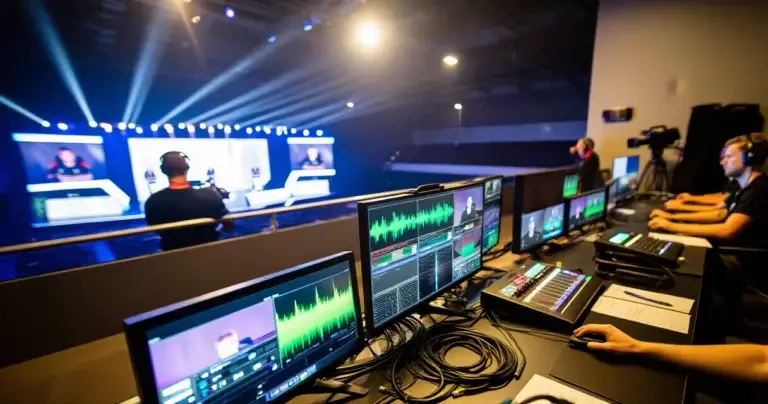
Most major tournament organisers — including ESL FACEIT Group and PGL — supply standardised hardware at LAN events, typically 240 Hz IPS or OLED monitors from their hardware partners. Players do not bring their own monitors to most tier-1 events. At smaller community tournaments and online qualifiers, players use their own setups, and a regular 60 Hz monitor will put them at a measurable disadvantage in FPS brackets. For more on how event production is handled, see the coverage of ESL FACEIT Group’s esports event production operations.
Key Takeaways
- An esports gaming monitor outperforms a regular monitor for competitive play primarily through higher refresh rates, lower input lag, and faster pixel response times — differences confirmed by independent peer-reviewed research.
- The largest performance jump is from 60 Hz (regular monitor) to 144–240 Hz (esports monitor). The Journal of Vision study confirms performance improves monotonically across that range.
- Above 240 Hz, gains continue but diminish. NVIDIA Research (2026) found 144 Hz vs 360 Hz is not reliably distinguishable in perceptual tests; gains above 240 Hz are most relevant to top-tier FPS players.
- System-level latency — the full pipeline from mouse input to on-screen pixel — matters as much as raw Hz. NVIDIA Research (2019) found latency reduction more beneficial than pure refresh-rate increase in first-person targeting.
- Panel type, resolution, and competitive-specific features (black equaliser, motion blur reduction, tournament presets) are secondary but real differentiators between esports and regular monitors.
- Game genre matters: FPS titles (CS2, VALORANT, Apex Legends) extract the most benefit from high-refresh esports displays; MOBA and RTS games benefit less at the upper refresh-rate range.
Sources
- Journal of Vision — Esports Arms Race: Latency and Refresh Rate for Competitive Gaming Tasks — Retrieved September 2, 2026
- NVIDIA Research — Monitor Refresh Rate Impacts FPS Video Gamers’ Perceptions of Display Smoothness (2026) — Retrieved September 2, 2026
- NVIDIA Research — Latency of 30 ms Benefits First Person Targeting Tasks More Than Refresh Rate Above 60 Hz (2019) — Retrieved September 2, 2026
- SAGE Journals — Indexing League of Legends Performance: A Systematic Review and Focus Group Study (2026) — Retrieved September 2, 2026
- Springer — High-Frequency Monitor Superiority in Reaction Time to Rectangle Color Change and Movement (2025) — Retrieved September 2, 2026
- CiNii Research — A Study on the Impact of High Refresh-Rate Displays on Scores of eSports (2021) — Retrieved September 2, 2026
- Springer — A Study on the Relationship Between Refresh-Rate of Display and Reaction Time of eSports (2021) — Retrieved September 2, 2026
- International Journal of Esports — The Potential of Physiological Monitoring Technologies in Esports (2020) — Retrieved September 2, 2026
- PR Newswire — LG Display Reveals Experimental Study Results on Gaming OLED Performance (2026) — Retrieved September 2, 2026